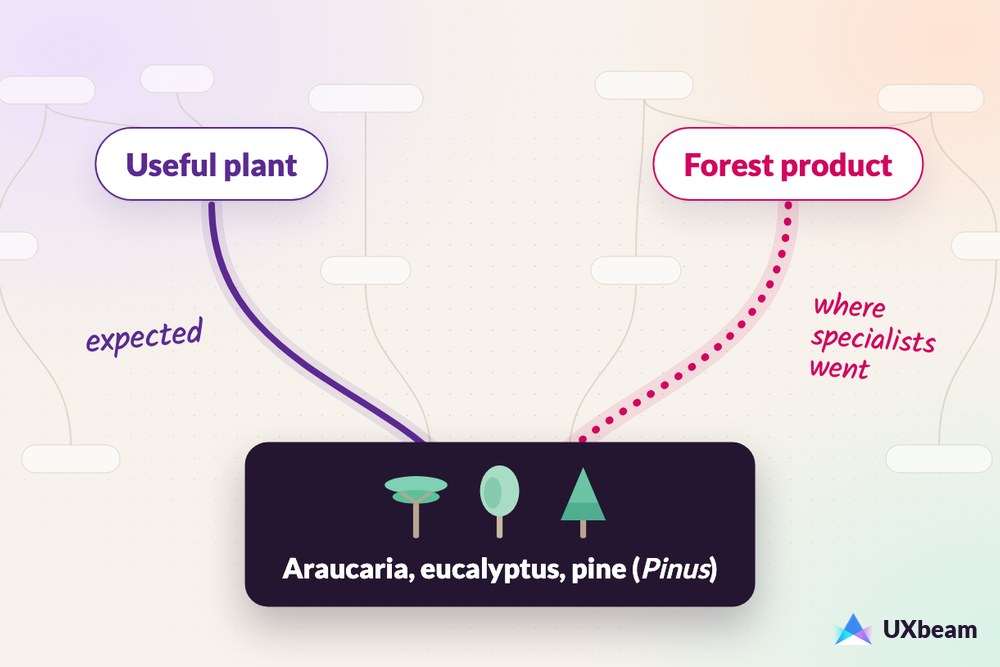
A leading-term warning deserves a closer look. Sometimes the wording gives participants a shortcut through the tree. Sometimes it simply reflects how people talk.
A shopper whose cups arrive broken might ask for a refund. If the menu says Returns and refunds, refund becomes a potential leading term. A person looking for a job can recognize Careers even if they ask who’s hiring. Both examples illustrate information scent. The warning flags the literal match, which tells you where to inspect the participant’s next navigation decision.
UXbeam analyzed 19,474 participant-task responses across 674 tree-testing tasks, drawn from 98 study versions spanning 61 projects between October 2023 and November 2026. Within study versions, tasks with a top-level leading term had a higher rate of correct first clicks. Tasks with deeper-level leading terms only were more often completed directly than tasks with no potential leading term on an accepted path. The location of the leading term helps you interpret the results.
Before a high tree-test score drives a decision to keep the navigation unchanged, inspect the task for potential leading terms. For top-level matches, check first-click accuracy; for deeper-only matches, examine Direct completion among answers with a correct first click.
Task wording variations
Take an online shop with a top-level section called Orders and a page beneath it called Returns and refunds. You want to see whether shoppers can find where to ask for their money back.
- Half the cups you bought arrived broken. You want your money back.
- Half the cups from your order arrived broken. You want your money back.
- Half the cups you bought arrived broken. You want a refund.
All three versions ask for the same thing. Under the study’s matching rule, the first has no label match on the accepted path. In the second, order matches the top-level label Orders. In the third, refund matches the destination label Returns and refunds.
More than half of tasks contain leading terms
A leading term is wording that may steer participants toward a navigation label. A leading task gives away a navigation decision. In this study, we identified potential leading terms by checking task vocabulary against labels on the accepted navigation paths.
We compared each task instruction with the labels on its accepted paths. We recorded lexical overlap separately for the top level and for labels below it. The same word can count at both levels when it appears in both places.
Of 674 tasks, 387 (57%) contained at least one potential leading term under this definition. In 358 tasks (53%), the potential leading term matched a label below the top level.
Figure 1. Leading terms: prevalence and placement
View data
| Match location on an accepted path | Tasks | Share |
|---|---|---|
| No label match | 287 | 43% |
| Deeper label only | 250 | 37% |
| Top-level label only | 29 | 4% |
| Both levels | 108 | 16% |
First clicks and Direct completion
We compared first clicks and completion across tasks within the same study versions, grouping them by leading-term placement. The tasks shared a tree and study context and could differ in goal, destination, difficulty and number of answers. See the analysis method.
A correct first click starts on an accepted branch. Direct means the participant reached an accepted destination without backtracking. Indirect means they reached one after backtracking. Elsewhere means they finished at a destination outside the accepted paths.
Top-level leading terms were associated with more correct first clicks. Across 47 study versions, tasks with a top-level match averaged 11.0 percentage points more correct first clicks than tasks without a top-level match. The comparison group can include deeper matches. The Direct rate was 6.6 points higher overall. Among answers with a correct first click, the Direct rate was 2.1 points lower, with a 95% interval from −8.5 to +4.2 points.
Deeper-level leading terms were associated with a higher Direct rate. Across 58 study versions, tasks with deeper matches only averaged 8.9 percentage points more Direct answers than tasks with no match on an accepted path. Among answers with a correct first click, the gap was 13.9 points. The first-click difference was 1.3 points, with a 95% interval from −4.5 to +6.8 points. For the top-level conditional Direct estimate and the deeper-only first-click estimate, the intervals leave room for differences in either direction.
In the deeper-only comparison, the Elsewhere rate was 10.4 percentage points lower (95% interval from −16.7 to −4.1 points).
Figure 2. Leading-term placement, first clicks and Direct completion
View data and confidence intervals
| Outcome | Top-level match vs no top-level match, 47 versions | Deeper-only match vs no match on an accepted path, 58 versions |
|---|---|---|
| Correct first click | +11.0 [5.6, 16.2] | +1.3 [−4.5, 6.8] |
| Direct | +6.6 [0.6, 12.6] | +8.9 [2.4, 14.7] |
| Direct among answers with a correct first click | −2.1 [−8.5, 4.2] | +13.9 [6.4, 21.8] |
In the broader leading-term analysis, destination-label matches remained associated with higher Direct completion after accounting for label length, competing choices and how frequently destination-label words appeared across the tree. The Direct-completion pattern also persisted across different levels of observed first-click accuracy. These adjusted models belong to the full-corpus word-match analysis; they were not fitted to the six within-version estimates in Figure 2.
For the cups task, start with the first-click distribution when the instruction uses order. When it uses refund, follow the answers that started in Orders and check how many reached Returns and refunds directly.
Direct rates across all tasks
Across the corpus, tasks flagged for leading terms had a Direct rate of 47% (4,685 of 9,985 answers). For tasks with no match, 3,572 of 9,489 answers (38%) were Direct. These rates pool answers across all study versions.
A lower score can look like evidence of a more rigorous test. The useful question is whether participants faced a realistic need and still had to work out where to go.
How to judge a potential leading term
Start with the participant’s goal, then read the instruction alongside the tree.
Would participants use this term? A shopper with broken cups may naturally ask for a refund. Keep that word if it expresses the goal clearly, then check where it appears in the tree.
Does the task give away a navigation step? “You want a refund for the broken cups” leaves the participant to choose where to look. “Go to the Refunds section” tells them where to go. Naming the route makes the second instruction a leading task.
How distinctive is the term in this tree? Check the competing branches. If order appears under several sections, participants still need to choose among them. A term unique to one destination gives them a more specific cue.
Does the rewrite preserve the goal? Someone looking up a routing number needs to identify a bank. Someone looking up an account number needs to identify an account. Keep the specific term when a broader rewrite would change what the participant is trying to find.
Reading your own tasks and scores
- Locate the leading term. Start with first clicks for a top-level leading term. For a deeper-level leading term, look at what participants did after choosing a branch.
- Revise the wording, keep the goal. Check for labels copied while drafting from a sitemap or carried over from an earlier version. Read the instruction aloud after you revise it. Keep the action and object the same, and keep the question form if it sounds natural. Use the wording that best represents the participant’s need.
- Read first click with the three outcomes. Compare first-click accuracy with the distribution of Direct, Indirect and Elsewhere. When many participants start on an accepted branch and few finish Direct, inspect the choices farther down. When many finish Indirect, look at the routes they took before reaching the destination.
- Inspect unusually high and low scores. For a high score, check whether the instruction repeats a distinctive label on an accepted path. For a low score, read the task on its own and check whether the goal is clear. If the goal is clear, check where participants first left the accepted path. If a high score is driving a decision to keep a branch, a focused retest of the same tree with natural wording that preserves the goal but removes the cue can help check that decision.
Run UXbeam’s leading-term check to flag task words that also appear in top-level labels or marked destinations. When a rewording idea is available, UXbeam checks it for the flagged term and any new matches with tree labels. Read the suggestion against the original goal before choosing it. On the results page, UXbeam highlights words shared with the destination or first-click labels so you can inspect them alongside the outcomes.
Method, briefly
The analysis covered launched study versions. The tasks shared a tree and study context and could differ in goal, destination, difficulty and number of answers. For each comparison, we pooled eligible answers by match group within each study version, calculated the difference between the group rates and averaged the version differences with equal weight. The 95% intervals are bootstrap percentiles from resampling study versions. We used the recorded Direct, Indirect and Elsewhere outcomes. We counted a first click as correct when it matched the top-level label on any accepted path.
Full methodology
Sample eligibility and text preprocessing
The 98 analyzed study versions were launched tree tests in which at least one task had ten or more participant answers. Task and label text were normalized and tokenized, and every task was checked separately against the top-level and the deeper labels on its accepted paths.
Estimation and model controls
For each comparison, we pooled eligible answers by match group within each study version, calculated the difference between the group rates and averaged the version differences with equal weight. The 95% intervals are bootstrap percentiles from resampling study versions. The conditional Direct comparison uses answers with a correct first click as its denominator. The adjusted models included destination depth, destination label length, the number of competing choices, tree-wide frequency of words in the destination labels, task length and an indicator for multiple accepted paths.
Task wording coding
Two separate coding passes using different large language model families classified task wording against the tree and accepted destination using a five-category codebook. On the 98 tasks included in the agreement analysis, the passes agreed on 89% of classifications (Cohen’s κ = 0.83). A written rule resolved disagreements between categories.