Information Architecture
Information architecture is the structure behind a product: how its content and features are grouped, what those groups are called, and how they connect so people can find what they need.
You see that structure in menus, tabs, links and search. A sitemap records how the pieces fit together.
By UXbeam · Information architecture tools since 2021
Six stages of information architecture work
-
Entry 01Decide & scope
What needs organizing or improving?
Find out whether the problem is structural, who it affects and what the team can actually change.
- Is it an IA problem, and which part?For an existing structure
- Choose your deliverablesFor a new structure
- Three sizes of assessment
Preview
If the evidence shows that the structure isn't the problem, stop here. If nothing can change, don't launch a study that cannot affect the decision.Information architecture assessment
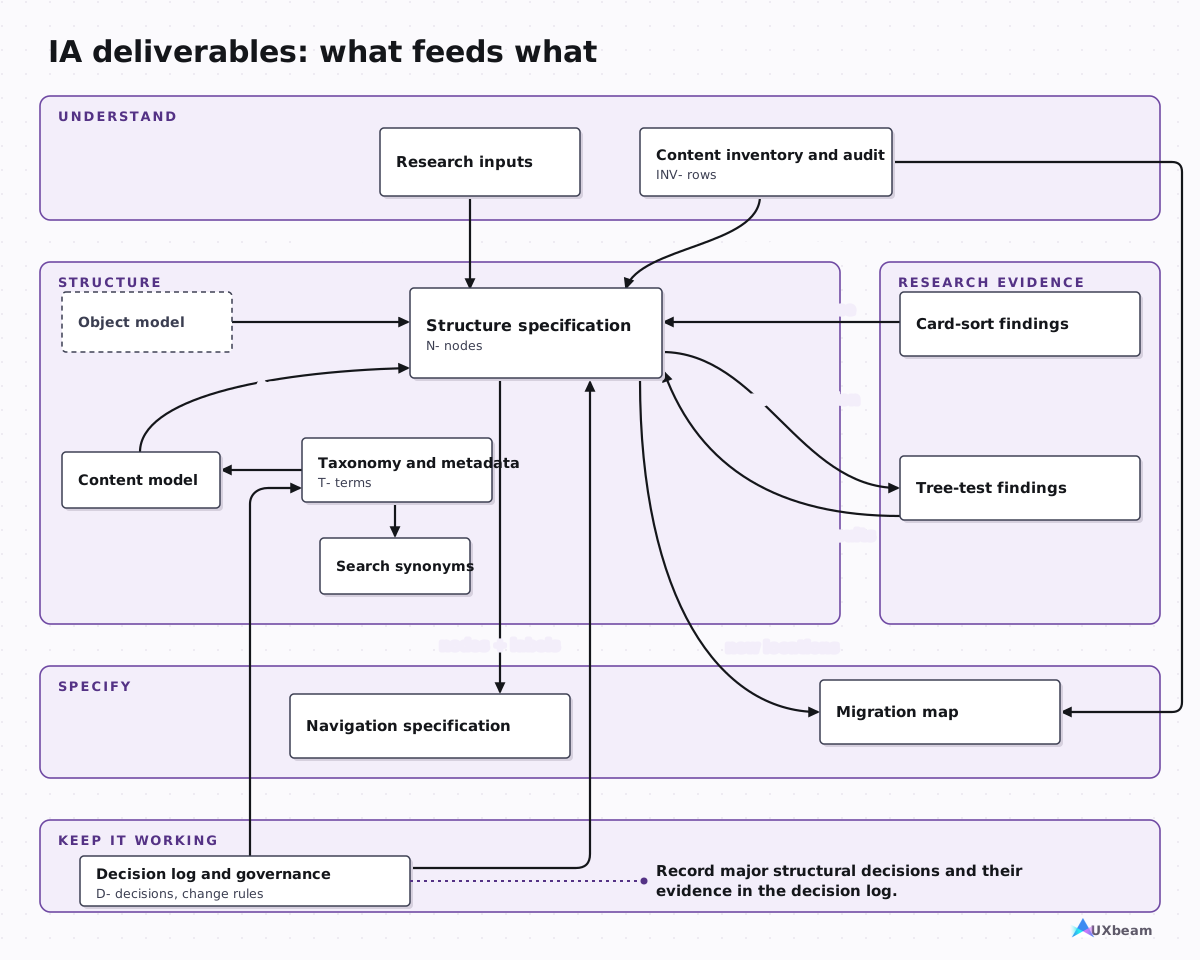
A small greenfield site may need only a sitemap and simple navigation rules; an existing site may also need an inventory.Information architecture deliverables
Evidence
-
Entry 02Discover & assess
What do we already know, and what is missing?
Look at the tasks people come to complete, the content you already have and the places where the two don't meet.
- GuideReview site-search queries
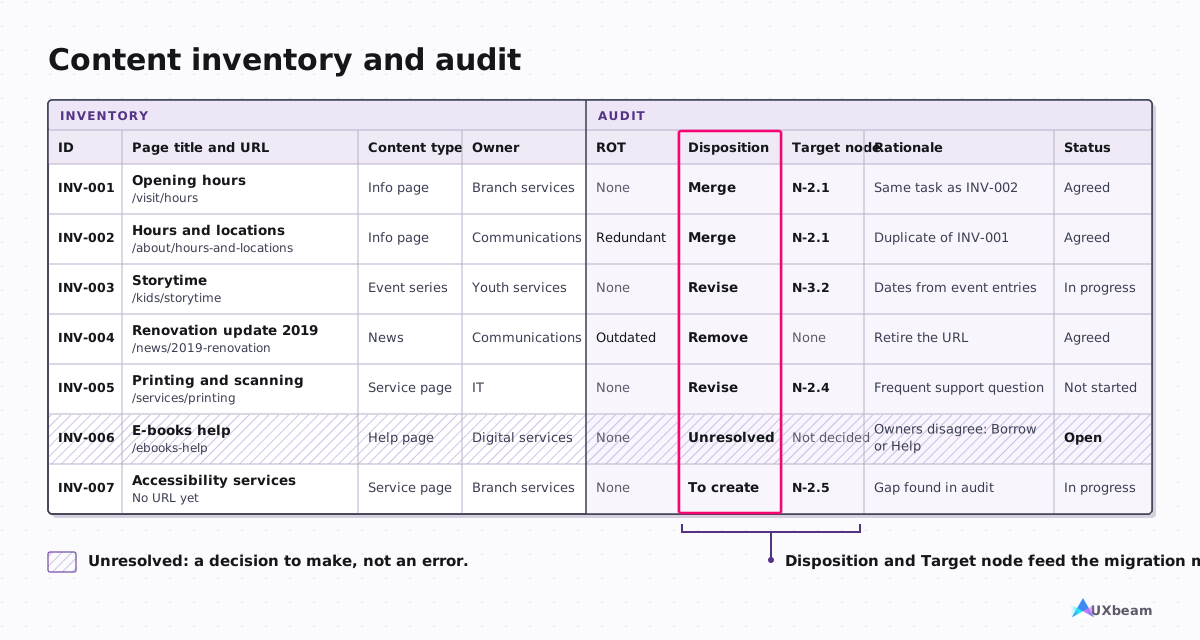
- TemplateContent inventory and audit (XLSX) · blank CSV
- WorksheetNavigation audit worksheet
Preview
Stakeholder interviews, user research, support tickets, top tasks, analytics and site-search logs.Information architecture deliverables
List each page or content item in one row. The inventory captures what's there; the audit adds a decision about what to keep, change or remove.Information architecture deliverables
Does the structure cover content required for priority tasks?Information architecture assessment
-
Entry 03Organize & label
How should content be grouped and labeled?
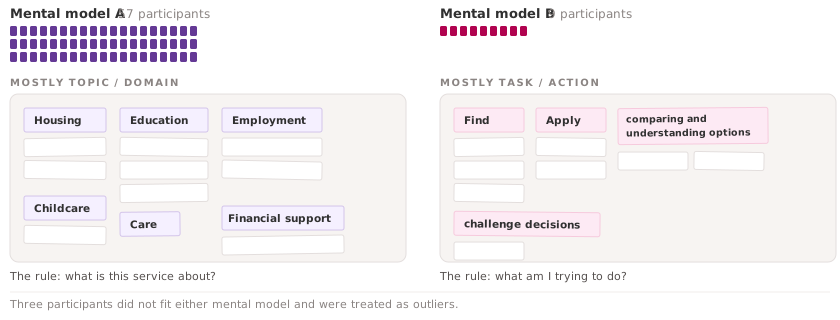
Look for patterns in how people group items and what they call those groups before you draw the hierarchy.
- Guides & analysisWhat a card sort measures · Open · Closed · Hybrid card sorting · Form candidate structures · Mental Model Detection
- DeliverableTaxonomy and metadata
- TemplateCard Sorting Templates
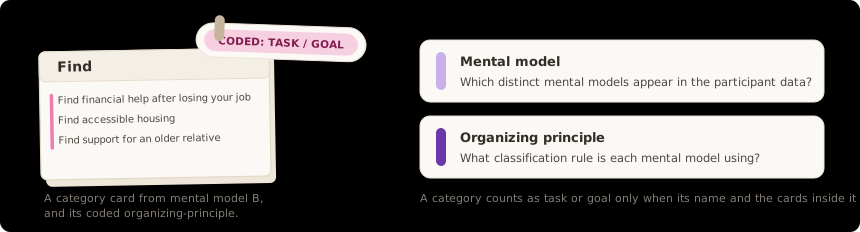
- Organizing principlesWhat is the organizing principle?
- Sitemap or structure specification
- Preserve participant labelsWhat should the groups be called?
Preview
An organizing principle determines which kinds of content belong together. Common choices include topic, task, audience, object, workflow stage and life event.Organizing principles
In a card sort, the groups people create suggest possible sections. The names they choose offer label ideas. Neither tells you whether someone will find an item in the hierarchy you build.Card Sorting Guide
Evidence
-
Entry 04Test & refine
Can people find things through the structure?
Use realistic tasks to check findability, then investigate detours and wrong destinations.
- GuidesTree testing · Writing task instructions · Leading tasks · Tree testing vs card sorting
- DeliverableResearch and validation findings
- ReferenceThe one-page task-writing cheat sheet
- Test only what remains open
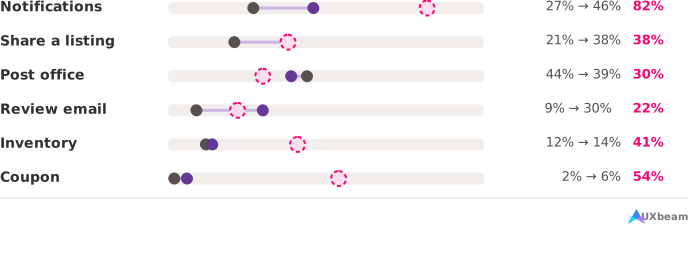
- Reading tree test resultsDid a revision improve results on the same tasks?
Preview
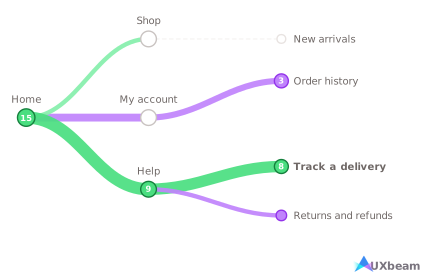
In a tree test, people navigate a text-only hierarchy to complete realistic tasks. Their routes show where they take a wrong turn or reach the wrong destination.Tree Testing Guide
Start with the success rate: the share of participants who reached a correct destination, direct or indirect.Tree Testing Guide
Evidence
-
Entry 05Translate into design
How does the structure become screens?
Turn the hierarchy into menus and screen sketches. Then test the interface choices the sitemap couldn't show.
- GuideTest the task intent
- DeliverablesNavigation specification · Migration map and redirects
- TemplateContent migration map (XLSX) · blank CSV
Preview
A sitemap tells you where destinations belong. Wireframes show how people might reach them through menus, links and screens. Use the IA evidence when sketching those routes, then test whether the interface supports the task.From sitemap to wireframe
Which groups appear in each menu or navigation control, and what those controls do.Information architecture deliverables
Evidence
-
Entry 06Measure & maintain
How will the structure stay useful?
Record decisions and ownership, and revisit the structure as content and needs change.
- DeliverableReady, accepted and owned
Preview
Every new page needs a home. Someone must be responsible for deciding when it fits an existing section and when the structure itself should change.Information architecture assessment
Keep the reasons for major structure changes in a decision log, and specify who can add a section or rename a category.Information architecture deliverables
What an information architecture includes
Four information architecture systems
- Organization
- what belongs together and how groups relate
- Labeling
- the words used for groups, links and other choices
- Navigation
- the paths and controls people use to move through information
- Search
- how queries, metadata and matching rules help people retrieve relevant content
Case studies

Go deeper
-
Information architecture process
Six stages, from deciding whether the work is needed to maintaining the structure after launch. -
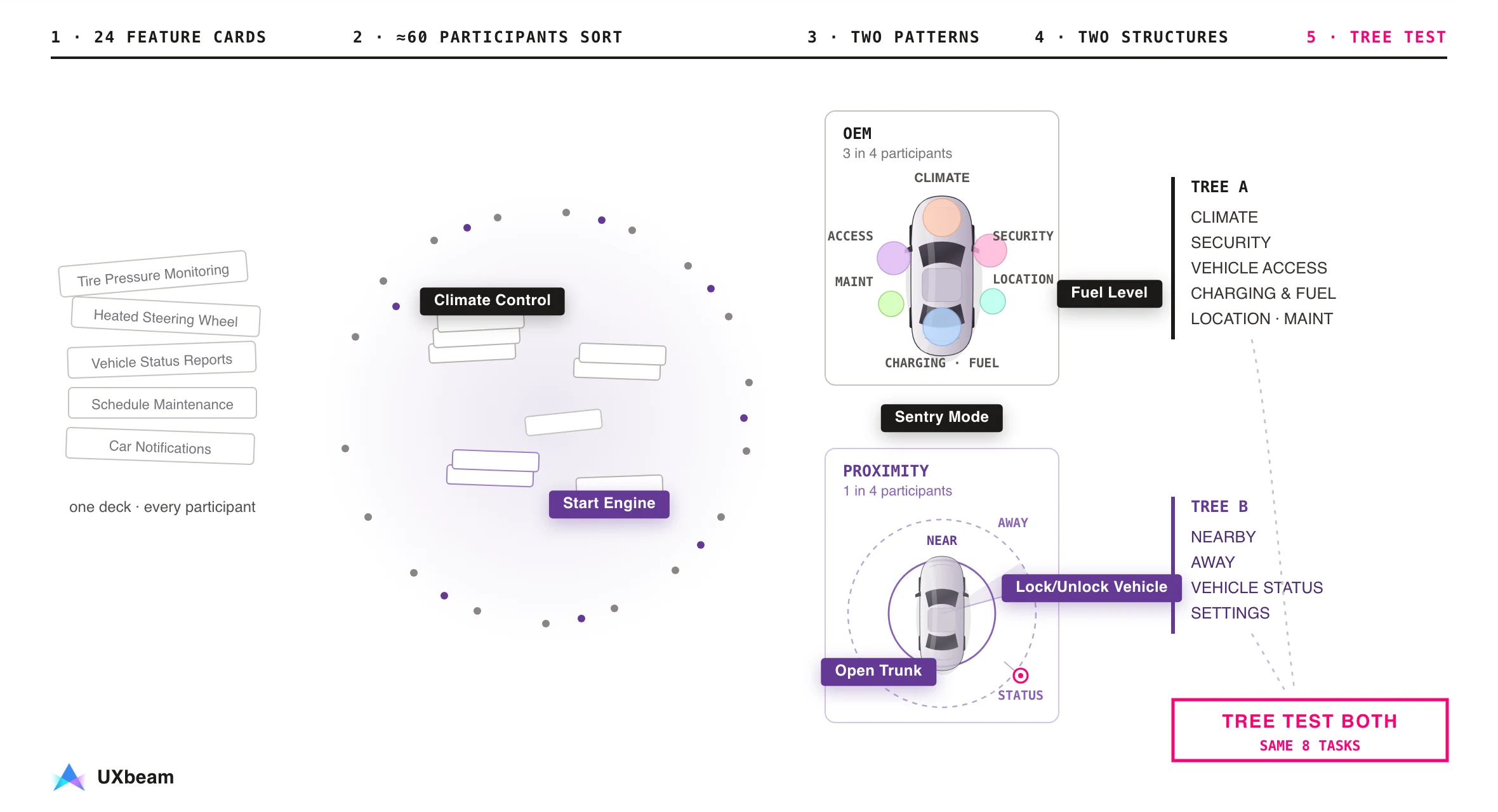
From card sorting to sitemap to tree testing
Use card sorting to explore groups and labels, then tree testing to check whether people can find things. -
Information architecture assessment
Evaluate an existing structure using the evidence you have, and decide what to test next. -
Navigation audit worksheet
A fillable, printable worksheet for inspecting a navigation against priority tasks and choosing the next check. -
Information architecture deliverables
See the artifacts an IA project needs, with examples and reusable templates. -
Key metrics in card sorting and tree testing
What each result means, how UXbeam calculates it, and what to decide next.