About UXbeam
Our story, told through the ideas and advances we’ve brought to life.
- 2021One-screen iterative Tree Testing
- 2022Card Sorting + editable sitemap
- 2023Card Sorting ↔ Tree Testing
- 2024Catch leading tasks as you write
- 2025Path Replay + flexible settings
- 2026Mental Model Detection · Tree test diagnostics
Release history
2026
Mental models, research diagnosis, actionable Review, and AI-assisted recruitment.
AI-assisted participant recruitmentPlatform
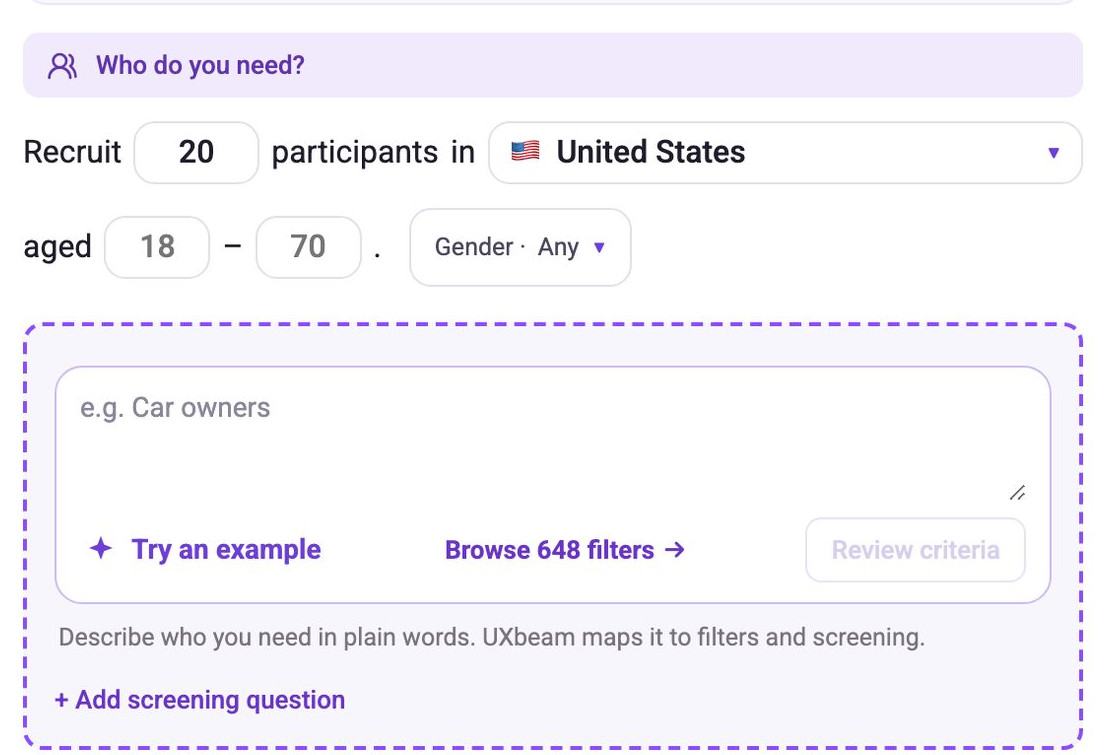
Finding the right participants should not require researchers to become experts in audience targeting. Describe the people your study needs in everyday language, and UXbeam’s AI-assisted recruitment helps turn that brief into targeting and screening criteria you can inspect, refine and approve.
The same study then connects the audience definition to availability, pricing, recruitment and response progress. The innovation is a more accessible way to recruit qualified people for research, grounded in the researcher’s own description of the audience.
Participant studies in five interface languagesPlatform
UXbeam’s participant experience became available in English, Spanish, French, German and Portuguese, with localized instructions and consent. Study authors retain control over the language selected for the participant journey.
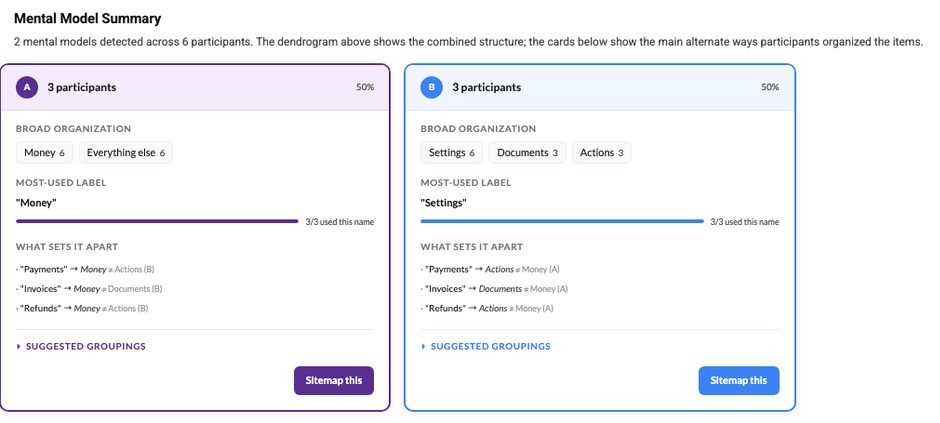
Mental Model Detection: identify competing ways people organize contentCard sorting
When different groups of participants organize the same content in fundamentally different ways, a single average can conceal both. UXbeam Mental Model Detection identifies those competing models and shows the participant evidence behind each one.
Researchers can recognize when one navigation structure may not serve every audience equally, and explore alternative ways of organizing the information before committing to a design.
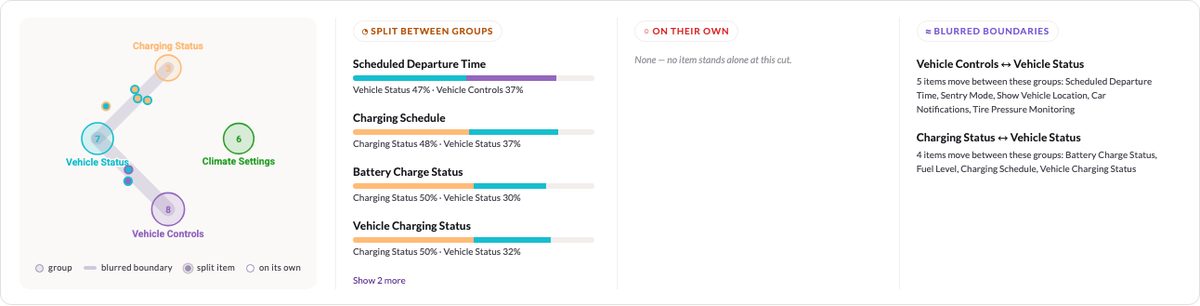
Card Sorting uncertainty map: reveal contested structure decisionsCard sorting
A neat average grouping can hide real disagreement. UXbeam’s Card Sorting uncertainty map makes the hard decisions visible: cards people split across groups, items left alone and boundaries that never settled.
Researchers can explore those competing choices and open a promising organization pattern directly in Sitemap+ to work on the structure with the uncertainty in view.
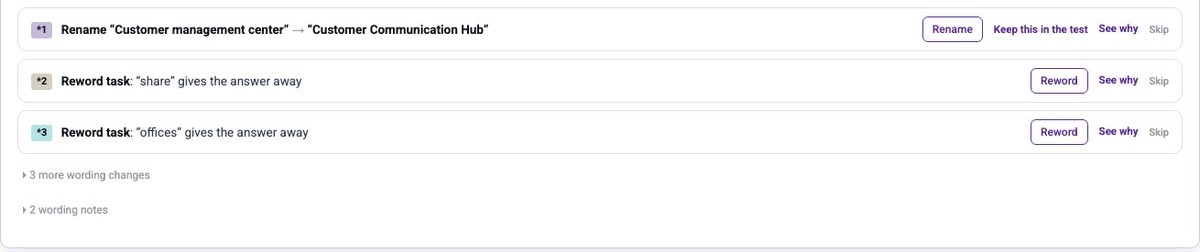
UXbeam Review: understand the confusion, improve the next testTree testing
When a task goes badly, a success rate alone cannot explain why. Did people start in the wrong section, lose their way deeper down, or split between plausible destinations? UXbeam Review brings the evidence together, while task-level Diagnostics identifies the pattern behind the struggle.
Review also recommends clearer, non-leading task wording. Researchers can compare suggestions, choose the formulation they trust and apply it directly to the next iteration. It makes thoughtful research decisions faster and helps people avoid mistakes they might not even realize they were making.
Full-scenario completion: see exactly where the journey breaksTree testing
A study can show reasonable success on each individual task while very few people successfully complete the full set. Those two pictures lead to very different conclusions.
UXbeam’s compact completion view makes the difference immediately visible. Each participant’s tasks appear together, with the failures standing out, so researchers can see whether the difficulty is isolated or affects the broader journey.
| Participant | 1 | 2 | 3 | 4 | 5 | 6 |
|---|---|---|---|---|---|---|
| 01 | ||||||
| 02 | ||||||
| 03 | ||||||
| 04 | ||||||
| 05 | ||||||
| 06 | ||||||
| 07 | ||||||
| 08 |
2025
Path Replay, flexible destinations and editable sitemaps.
Sitemap+: develop, refine and retest structures inside the workflowWorkflow
Researchers can shape a candidate information architecture in Sitemap+, then focus new research exactly where uncertainty remains. Select a disputed branch to run a focused Card Sort, or take a promising organization pattern into the editor to refine it.
The value is the freedom to work on the actual hierarchy while making research decisions, rather than translating each finding into a separate diagram before it can be tested.
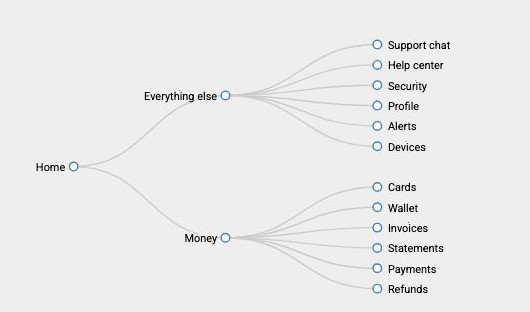
Path Replay: see what people actually did, not just the scoreTree testing
Two tasks can have the same success rate and completely different stories. One group reaches the answer directly; another takes a wrong turn, backtracks and eventually recovers.
UXbeam Path Replay shows those stories. Follow the route through the tree, filter by outcome and inspect a single participant’s choices. The visualization makes navigation confusion tangible and gives researchers something specific to improve.
Test a whole category as the correct destination—not just a leaf pageTree testing
Sometimes reaching the right section is the task. A support category, a product family or a section landing page may be the meaningful destination—even when deeper pages sit beneath it.
UXbeam lets researchers score that intermediate category as correct while preserving the real navigation hierarchy. They can test the decision that matters instead of flattening the structure to satisfy the tool.
2024
Methodological safeguards built into task writing.
Trace each structure back to the research that informed itWorkflow
A proposed structure carries more weight when everyone can see the research behind it. UXbeam keeps the connection between a Card Sort, the Tree Test built from it and any related App Intel work.
Researchers can trace a navigation decision back to its original evidence—useful when explaining recommendations to colleagues, defending a change or returning to a project months later.
2023
One-step research handoffs and results-driven iteration.
App Intel: build a feature inventory in users’ own languageWorkflow
Preparing an information architecture for a mobile app often starts with a feature inventory. Manually reviewing competing apps can take hours, and the labels on their screens tell you how their designers describe features—not necessarily how people talk about them.
App Intel analyzes public app reviews to identify the features people discuss and the language they use. It gives researchers a practical, user-language starting point for an app feature inventory and can turn those findings directly into Card Sorting material.
See failed tasks while iteratingTree testing
During iteration, UXbeam presents a focused view of the tasks that participants struggled with, where they went instead and how often each wrong route occurred.
Researchers see the evidence at the moment they can act on it: change the problematic label or branch, then run the next iteration. No hunting through an entire results report to remember what needed fixing.
Multiple valid destinations for a single taskTree testing
A real information architecture may give people more than one legitimate place to find the same information. Scoring only one destination as correct can turn a sensible choice into an artificial failure.
UXbeam lets researchers define multiple valid destinations for a task. The test evaluates whether people reached an acceptable answer—not whether they guessed the one location the test author happened to select.
One-step Card Sorting → Tree TestingWorkflow
Card Sorting and Tree Testing answer different questions. UXbeam connected them in one step: take the structure developed through Card Sorting directly into a Tree Test, without rebuilding or transcribing it.
Researchers can test the navigation they actually designed, keep the context of their decisions, and move straight from exploring an information architecture to checking whether people can find their way through it.
2022
Card Sorting added to the editable information architecture workflow.
Card Sorting built into information architecture designCard sorting
UXbeam introduced Card Sorting alongside Tree Testing so researchers could both discover how people organize information and validate the navigation they design. The resulting groups could be worked into an editable candidate structure rather than left as a disconnected set of charts.
Participant Tree Testing with the full navigation path recordedTree testing
UXbeam introduced participant Tree Testing that records the full navigation route: every choice, detour, return and final destination. The result shows how people navigated—not just whether they finished at the expected page.
The results now bring first-click patterns and final destinations together. A researcher can see when a promising-looking success rate hides a misleading first label, a detour or backtracking. That makes it much easier to identify what to improve.
2021
One-screen study setup and built-in iteration.
Built-in iterative Tree Testing: test, iterate, retestTree testing
Tree Testing should be iterative. Changing a label or moving a category while the navigation is still text is inexpensive; rebuilding an entire study for every alternative makes that opportunity easy to miss. UXbeam put iteration inside the method: open results, choose Iterate, adjust the tree, and launch another version with the tasks preserved. Each round remains part of the same research sequence.
Combined with rapid pretest feedback, that changed what a workshop could accomplish. Researchers could set up a Tree Test in minutes, examine pretest data in roughly 5–10 minutes, and keep iterating. In guided sessions, users made meaningful improvements in findability measures within 40–60 minutes—several rounds of research before the team moved on to wireframes.
Pretest data for rapid iterationTree testing
Pretest data gave researchers a fast way to assess a navigation draft, adjust labels or groupings, and try another version within the same session. Instead of treating the first structure as the finished answer, teams could explore alternatives while changes were still easy to make.
One-screen Tree Testing setupTree testing
UXbeam launched on the belief that setting up a Tree Test should be as quick as putting a navigation idea into words. Researchers write the hierarchy as an indented outline, mark task destinations beside the relevant labels, and add the corresponding tasks—all in one place.
The novelty was the authoring model. A structure discussed in a workshop could be turned into a runnable Tree Test in minutes, while the team was still working through the idea.
Depth that compounds
UXbeam brings research design, participant evidence and iteration together, making sophisticated information architecture work easier to do well.
Fast enough to explore alternatives
Set up a test during a working session, see what the results suggest and iterate while the decisions are still open.
Better questions, better evidence
Catch wording that could mislead participants and get practical suggestions for asking the right question.
Find the confusion, not just the score
See where participants start, where they hesitate and which paths lead them astray.
Work on the next decision
Shape the structure, challenge uncertain groupings and retest the information architecture you are developing.
Milestones are dated to UXbeam’s production release history.